Login
Skip Navigation Links
HOME
Markets
SOFTWARE
HARDWARE
SERVICES
CUSTOMERS
RESELLERS
CONTACT
PARTNERS
PROFILE
JOBS
Scroll up
Scroll down
RETAIL MARKET
HOSPITALITY MARKET
FAST FOOD MARKET
WHOLESALE MARKET
Scroll up
Scroll down
E-RETAIL
E-RESTAURANT
HEADOFFICE
Wholesale Supplier Links
E-FAST FOOD
NEWS ROUND
Scroll up
Scroll down
Touch Screen Terminals
Scanners
Cash Registers
Printers
CCTV Products
Weighing Scales
Cash Drawers
Handhelds/PDAs
Sundries
Scroll up
Scroll down
Web Development
Software Development
Network Solutions
Customer Support
CCTV Solutions
DOWNLOADS
Scroll up
Scroll down
INDEPENDENT RETAILERS
FAST FOOD CUSTOMERS
Symbol Groups
Scroll up
Scroll down

Downloads

  • CCTV Literature (3.1 MB)
  • e-Fast Literature (1.6 MB)
  • e-Retail Literature (1.9 MB)

EPOS System Benefits

EPOS systems will probably pay for themselves within 18 months if you have a high turnover business, the ROI (return on investment) will be longer for businesses with medium revenues however it will still deliver considerable business benefits and provide many of the essential tools and information to make informed business decisions and grow your business.

For small operations a cash register will probably meet your needs for considerably less money. Many businesses however decide to invest in an EPoS system from the outset, often because they have reaped the benefits before, or because they want to lay a foundation on which they can build upon.

In the long term a good POS system can save you money, increase productivity and save you time that can be spent driving your business forward. No matter how small a business is, an EPOS system is rarely unnecessary as it will bring in business benefits, these may be simply better reports, faster transaction times or better stock management.

However, your EPOS system won’t run all by itself, so the big question is how soon you can make it pay for itself. Here’s a few of the benefits a EPOS can bring and how it can help you.

Save time and money

Increase transaction speed and quality of service. Faster transactions can be achieved by using a touch screen POS terminals like the IBM SurePOS 500, J2580 which are faster to operate, in retail adding a barcode scanner will make the checkout faster too.

Easy to use touch screen EPOS allow products to be found quicker, operators can be lead through a transaction and training times are often reduced.

Quick stock searches and level checks prevent customers from waiting around.

Hand held order terminals like Symbol MC50 can be used in restaurant and quick service operations to boost productivity and up-sell extra items. “Fancy a glass of port with that cheese?”

Queue busting and faster ordering can all be achieved by implementing electronic waiter pads like Symbol MC50.

Accurate billing - If an item is ordered it’s in the POS system so you won’t miss that bottle of wine or cup of coffee off the bill again.

More efficient transactions - customers will get served quicker and kitchens will have more time to prepare orders.

Improve business efficiency and productivity

Take control - Back of house tools like EPOS Office and EPOS-MS will put you firmly in control of your POS terminals, allowing quick and timely changes to products, retail prices and menu’s.

Retailers can run targeted promotions such as happy hours, multi-buys or mix ‘n’ match offers like buy two get one for free, and maintain different price files for different outlets, days of the week, times of the day or special events.

Faster order processing for restaurants and quick service operations are quickly achieved and more accurate by introducing kitchen order printers or kitchen display systems.

Better staff productivity - Orders are automatically relayed to a kitchen or warehouse directly from the POS terminal or wireless order pad, leaving staff with more time to interact with customers.

Manager alerts – Managers can be alerted or paged directly from the POS system to get more staff to the checkout, re-stock the bar or attend to customers. See EPOS Alert

Reduced Paperwork - Use your POS system to reduce paperwork and save time doing stock takes or reporting.

Hand held stocktaking - Retail and Hospitality operations may consider hand held stocktaking devices like the E-tek Stockman to speed up stocktaking and delivery procedures or introduce quick line checks.

Reduce fraud and shrinkage

Shrinkage is the general term applied to the inventory that goes missing from your store or is unaccounted for in your restaurant. It may be simply unreported wastage or theft, and employee misuse or sweet-hearting where a member of staff provides free drinks to friends.

Staff ID buttons (Dallas key or i-button) help reduce shrinkage, by using these on your POS system you record all transactions operators, allowing you to report on individual staff members.

Visibility - Make staff aware that stock levels are being carefully monitored by the POS system and stick up performance charts in the staff room, shrinkage will miraculously dwindle.

Line checks – quick and random line checks are often more effective than regular stuck takes.

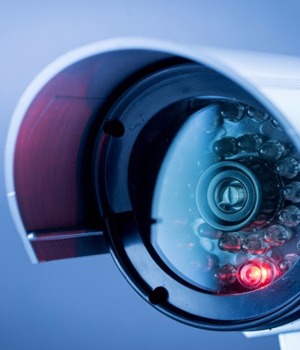
CCTV integration allows transaction data to be overlaid on top of CCTV footage to obtain a clear picture of what’s happening at the point of sale.

Search CCTV footage by transaction events such as corrections, voids, no-sales or abnormal sales values. Many systems now allow you remote access to the CCTV.

Better cash control

Know your position At any time during the day, a POS system can instantly report on how much money you should have in your cash drawer or how many of a particular product you have sold today.

Manager only functions for voids or refunds prevent staff misuse

End of day cash declarations on your POS system can force staff to declare cash counts before they know what should be in the cash drawer, making variances easier to trace.

Cash Lifts – Set warning levels to alert you when to make a cash lift

Improve stock management

Minimize stock variances with regular weekly and monthly stock checks Reduce working capital and interest by optimizing stock holding Faster stock taking can be achieved by using hand held stocktaking devices like the E-tek Stockman.

Stock Alerts - Automatic stock re-ordering triggers can compile and suggest orders when stocks are running low.

Stock analysis - Detailed reports make it much easier to keep the right stock on hand. Many owners who think they know exactly what trends affect them find a few surprises once they have this data from their EPOS system.

Identify slow stock items, spot sales trends, and use historical data to better forecast your needs.

Build intelligence to grow profits

Fast and accurate reports from your POS system to support business decisions and drive business forwards. Get reports anywhere anytime and stay in touch with fast moving retail operations. Products like E-tek DataSmart let you access reports via the internet or have them automatically emailed to your desktop or PDA.

Better margins - Detailed sales mix reports help you focus on higher-margin items. Re-locating products within a retail store or promoting under-performing dishes in a restaurant can help you boost sales of high-profit items.

Monitor promotions and discounts to make sure you’re not just giving profits away.

Manage staff hours to maximize profits. Rota’s, clock in/out and labour schedules help control one of your key costs.

Compare performance against other stores, days, weeks months and years to build a picture on how your business is performing.

Improve customer loyalty and retention

Build a list of your customers - collect their contact details and get to know them better.

Targeted advertising – offer incentives to your customers so they return on a regular basis. Consider adding discount cards to your POS system or loyalty cards, gift cards and vouchers.

CRM – Customer relationship management tools can be used to communicate with your customers allowing letter, SMS texts and emails to be sent out.

Point of purchase advertising can be used to draw attention to items you wish to promote or special upcoming events you may even be able to generate revenue from 3rd party advertising.

It’s important to remember that to realize many of the benefits of an EPOS system requires dedication, commitment and you need to understand the information being generated, it won’t do all the work by itself. Without suitable training or ongoing analysis, even the most sophisticated EPOS system will be no more useful than a basic cash register.

If you would like us to help you choose your EPOS system you can call us on 0845 222 2204 or simply fill out our on-line form Contact e-tek and we will get back to you as soon as possible

Services Overview

  • EPOS Benefits
    Better stock control, staff performance monitoring,more savings and less shrinkage etc....
  • Leasing Benefits
    100% tax deduction, better use of valuable cash. Low initial deposit
  • Leasing Calculator
    Calculate today for a profitable tomorrow.
  • Handheld PDAs & Chip and Pin
    Integration of Handheld PDAs with POS and Backoffice for easy order preparation and stock management. Integrated Chip & Pin terminals provides you safe, fast & convenient payment options.
  • News
    e-tek is prepared for the up-coming high demand pressure and assures quality service at each and every stage in this new year - BODs 28 Dec. 2009
E-TEK SOLUTIONS UK LTD


Copyright © 2010 e-Tek Solutions UK Ltd. All Rights Reserved. E&OE Registered in England and Wales, Company No. 6928689